



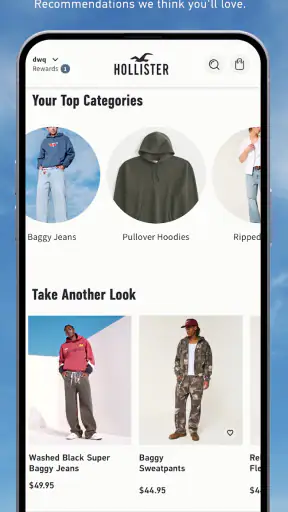
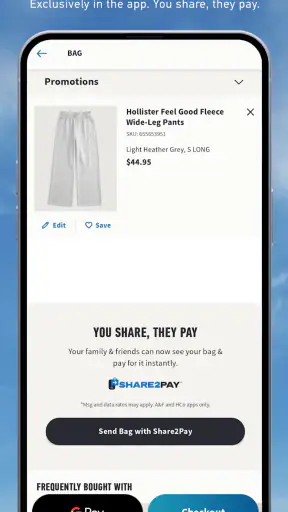
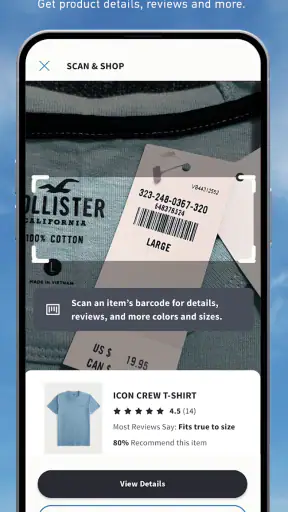
I found Hollister Co. most useful when I treated it as a focused shopping companion rather than a complete replacement for every way of buying clothes. It brings Hollister and Gilly Hicks into one mobile experience, while also giving shoppers a way to join Hollister House Rewards. That combination makes sense if you already buy from these brands or want to browse them regularly, but it is less compelling if you are looking for a broad marketplace with many unrelated labels.
After spending time with the app, my overall impression is positive but practical: the clothing discovery is straightforward, the brand focus keeps the experience from feeling cluttered, and the rewards element gives returning shoppers a reason to keep using it. The main friction comes from the usual realities of mobile retail—images and product information need to load correctly, sizes and availability can change while you are deciding, and a shopping app cannot remove uncertainty about fit. It works best when you use it to narrow down choices before purchasing, not when you expect it to eliminate every decision.
Getting comfortable with the Hollister shopping experience
A focused storefront for two related brands
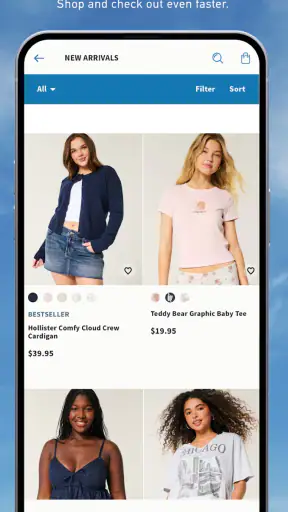
Hollister Co. is a free shopping app from Abercrombie & Fitch Co., aimed at people browsing Hollister and Gilly Hicks products. That narrow scope is one of its strengths. Instead of scrolling through an enormous catalog of unrelated sellers, I can stay within the style and product range associated with these two names.
The app is rated for Everyone, which makes it approachable for a wide audience, although the actual usefulness naturally depends on whether the available clothing and intimates match your taste, budget, and sizing needs. It has been available since July 15, 2013, so this is not a brand-new experiment. Its current version is 12.2.0 and it requires at least iOS 11, a reasonable compatibility point for people using an older iPhone that still receives normal app support.
Its popularity also gives some context: the app has passed 5 million installs and holds a 4.8 average from roughly 112 thousand ratings, with about 12 thousand written reviews. Those figures suggest that the experience works well for many shoppers, but they should not be mistaken for a guarantee that every order, device, or browsing session will feel smooth.
Where shoppers commonly get stuck
The first place I would expect a new user to hesitate is not the installation itself, but the transition from browsing to making a confident purchase. Clothing photos can make an item look obvious, yet the real questions are usually more specific: how does the cut compare with something already in your wardrobe, is the chosen color practical, and will the size still be available when you return to the item?
I recommend opening the product details slowly instead of adding the first attractive item immediately. Check the available variants, read the description, and look for any information that helps you judge the garment beyond the main image. This is especially important for fitted pieces and Gilly Hicks items, where comfort and proportions can matter more than the photograph suggests.
A second sticking point is brand switching. Hollister and Gilly Hicks are presented within the same app, but I still find it helpful to decide which brand I am browsing before building a basket. Otherwise, it is easy to mix different expectations about style, fit, and intended use. A quick review of the basket before checkout can prevent an impulse purchase from becoming an awkward combination of items.
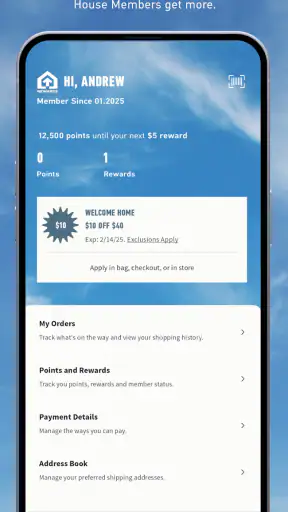
Rewards can create another moment of uncertainty for first-time users. Hollister House Rewards is part of the app’s appeal, but I would not install the app solely because I expect an immediate benefit from joining. The more sensible reason is repeated shopping: if you already plan to return to Hollister, having the rewards area available in the same shopping environment is more useful than managing a separate loyalty routine.
Setup checks that save time later
My first setup recommendation is simple: install the app, open it on a stable connection, and allow the initial catalog content to finish loading before judging performance. A partially loaded storefront can make product images appear inconsistent or leave you wondering whether a selection is unavailable when the real issue is temporary connectivity.
It is also worth checking the operating system before troubleshooting anything complicated. The app requires iOS 11 or later, so an older device below that requirement is not a problem that can be fixed inside the app. If your iPhone meets the requirement but the store still behaves strangely, close the app completely and reopen it before assuming that your account or basket is damaged.
I would then test the experience in a small, controlled way. Browse a category, open one product, select a size or other available option, and place it in the basket. This tells you whether the basic path works before you spend time assembling a large order. It is a much better test than repeatedly tapping a single screen that appears frozen.
Keep your account details consistent as you move through the experience. If you use Hollister House Rewards, sign in with the account you actually intend to keep using. Switching between different sign-in identities can make the rewards experience feel confusing because you may be looking at a different account context than expected. That is an account-management issue, not necessarily a catalog or checkout failure.
Making browsing more deliberate
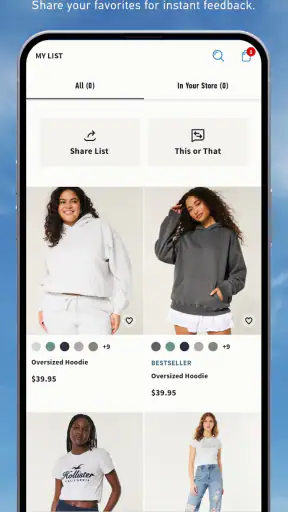
The most useful workflow I found was to separate discovery from commitment. On the first pass, I browse broadly and note the pieces that genuinely fit what I need. On the second pass, I revisit those products and check sizes, colors, descriptions, and the basket together. This reduces the chance of buying something simply because it looked good in a single image.
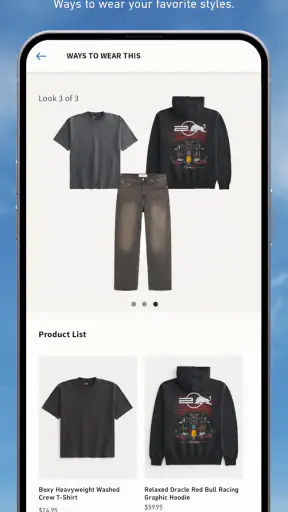
For a realistic everyday example, imagine that I need a casual outfit before the weekend. I would open the app during a commute or lunch break, browse Hollister first, and save my attention for items that work with clothes I already own. If I also want Gilly Hicks products, I would review those separately rather than mixing both brands into one rushed decision. Later, at home, I would inspect the basket again on a reliable connection and confirm every selected option before continuing.
That two-stage approach is particularly helpful on a phone because small screens encourage fast tapping. It also makes the app more useful than a simple impulse-shopping tool. I can use it to compare a few realistic choices, then return when I have enough time to make a sensible decision.
Another practical habit is to treat the basket as a review screen, not just a place where items wait for checkout. I look at the item names, selected variants, and quantities as if I were checking a packing list. This catches mistakes that are easy to miss while browsing, such as selecting a similar color or forgetting that two items serve the same purpose.
Recovering when the workflow breaks
When a shopping screen does not respond as expected, I start with the least disruptive recovery steps. I check whether other apps can load content, move to a more dependable connection if possible, and reopen Hollister Co. If only one product page is affected, I return to the category and open it again rather than repeatedly pressing the same control.
If the basket looks unusual, I avoid immediately rebuilding everything. First, I revisit the product and confirm whether the selected option is still available. Retail inventory changes can make a previously chosen size or color behave differently from the moment it was first added. In that situation, the app may be reflecting a changing catalog rather than losing your work.
A useful recovery method is to rebuild in small pieces. Remove or set aside the item that is causing confusion, confirm that the rest of the basket behaves normally, and then try the problem item again. This isolates the trouble instead of turning a single uncertain product into a full checkout restart.
I also recommend taking a mental note of the last successful step. Was the product page visible? Did the basket show the item? Did the issue appear when moving forward? That sequence helps distinguish a loading problem from a selection problem. It also prevents random troubleshooting, such as repeatedly signing out when the real issue is a temporary connection interruption.
For rewards-related confusion, check that you are using the intended account before assuming that the program is not working. A different sign-in state can make the experience look incomplete or unfamiliar. If the rest of the storefront works normally, account context is one of the first things I would verify.
When the app is not the cause
Not every disappointing shopping result is caused by the app. A garment may fit differently from what you expected even though the product information displayed correctly. A favorite size may sell out while you are deciding. A delivery or payment issue may happen outside the browsing portion of the experience. These are important distinctions because reinstalling an app will not solve a sizing judgment or a changing stock situation.
Fit is the biggest example. I would not use this app as my only source of certainty when buying a style I have never tried. If I already know how Hollister or Gilly Hicks clothing fits me, the mobile catalog becomes much more convenient. If I do not, I would be more cautious, especially with fitted garments, and I would inspect the available product information before committing.
The same applies to comparisons with general shopping apps. A broad marketplace is better when I want to compare many brands, price ranges, or seller policies in one place. Hollister Co. is better when I have already decided that I want to shop these particular brands and prefer a more focused catalog. The trade-off is clear: less noise, but also fewer alternatives outside the Hollister and Gilly Hicks range.
It is also not the right choice for someone who dislikes brand-specific loyalty programs. Hollister House Rewards may be useful for a repeat shopper, but a person who wants a single universal rewards wallet will probably find a general shopping platform more convenient. The app’s value increases with brand loyalty; it does not automatically make sense for occasional browsing.
What the strong rating tells me—and what it does not
The 4.8 average and large volume of ratings indicate that the app has earned broad approval, and the 5 million-plus install figure shows that it is established rather than obscure. I see that as reassuring when choosing between a brand’s official app and an unfamiliar third-party shopping tool.
Still, ratings are a starting point, not a substitute for matching the app to your habits. A frequent Hollister customer may value the focused catalog and rewards access much more than someone who only wants to compare several retailers. Likewise, a shopper with a reliable connection and a compatible iPhone may have a smoother experience than someone using an older device or browsing in unstable conditions.
The written reviews can be useful for spotting patterns, but I would read them with the same caution I apply to clothing reviews. One person’s ideal fit or smooth checkout does not guarantee the same result for me. My own decision would be based on whether I want this particular brand ecosystem, not on the rating alone.
Who should use it regularly
I would recommend Hollister Co. to shoppers who already know the brand, want to browse Hollister and Gilly Hicks from one place, or expect to make repeat purchases and use Hollister House Rewards. It is also a good fit for someone who prefers a cleaner, brand-specific shopping experience over a huge marketplace filled with unrelated results.
It suits a practical browsing routine: check new possibilities, compare them with what you own, review the details, and return when you are ready. The app is free, so trying that routine costs nothing beyond the time spent setting it up and learning where you prefer to browse.
I would be more hesitant to recommend it to someone who wants extensive cross-brand comparison, a universal shopping account, or complete confidence about fit without prior experience. That user may be better served by a general retailer app or by visiting a physical store before ordering. The focused design that helps one shopper can feel limiting to another.
My practical verdict
After using it as a real shopping tool rather than merely opening it once, I think Hollister Co. earns its place on the phone of a repeat Hollister or Gilly Hicks customer. The combination of focused browsing and Hollister House Rewards is coherent, and the app’s long availability, current version 12.2.0, and strong user response make it feel like a mature brand storefront rather than a temporary promotional add-on.
My advice is to install it with a specific shopping plan. Confirm that your iPhone meets the iOS 11 requirement, let the catalog load properly, test one product path, and keep browsing and checkout as two separate steps. If something goes wrong, isolate the affected product or account state before rebuilding the entire basket.
My recommendation is positive for loyal brand shoppers, but conditional for everyone else. The app makes targeted shopping easier, not universal shopping better. If Hollister and Gilly Hicks are already where you want to buy, Hollister Co. is a convenient and sensible companion. If you are still deciding among many brands or need the widest possible comparison, I would choose a broader shopping alternative instead.


